
It is important for any user of a Windows PC to choose backup software. Proper backup software can help protect documents, photos, applications, the operating system, and personal files against hardware failure, accidental deletion, malware, ransomware, or issues that arise after a Windows update.
For many years Macrium Reflect was a popular option for those looking for free backup software, but by 2026 the free version of the original Macrium Reflect had reached the end of its support and can no longer be downloaded. Macrium now offers Reflect X Home, which is a paid product and includes a 30-day free trial.
What Is Macrium Reflect?
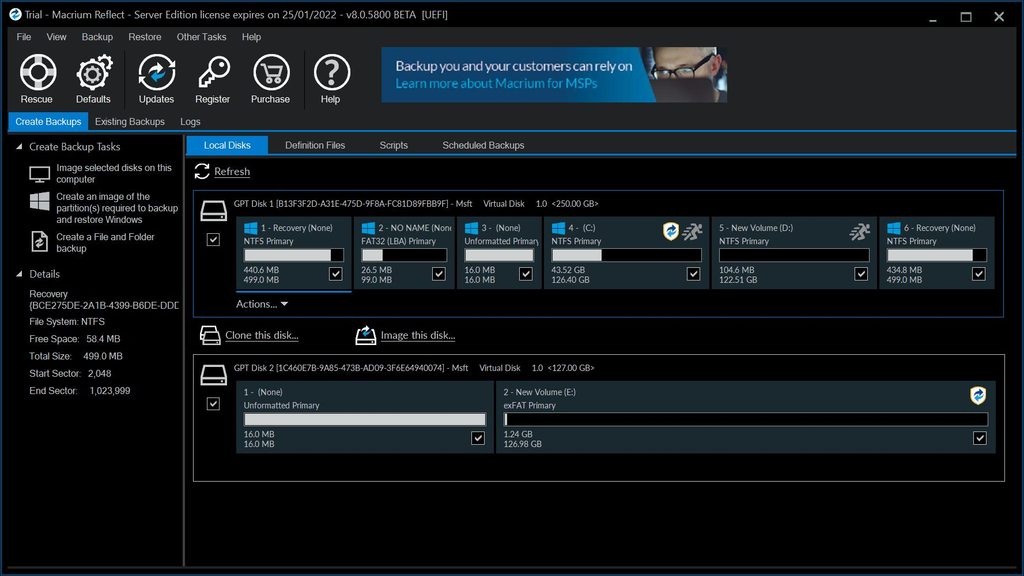
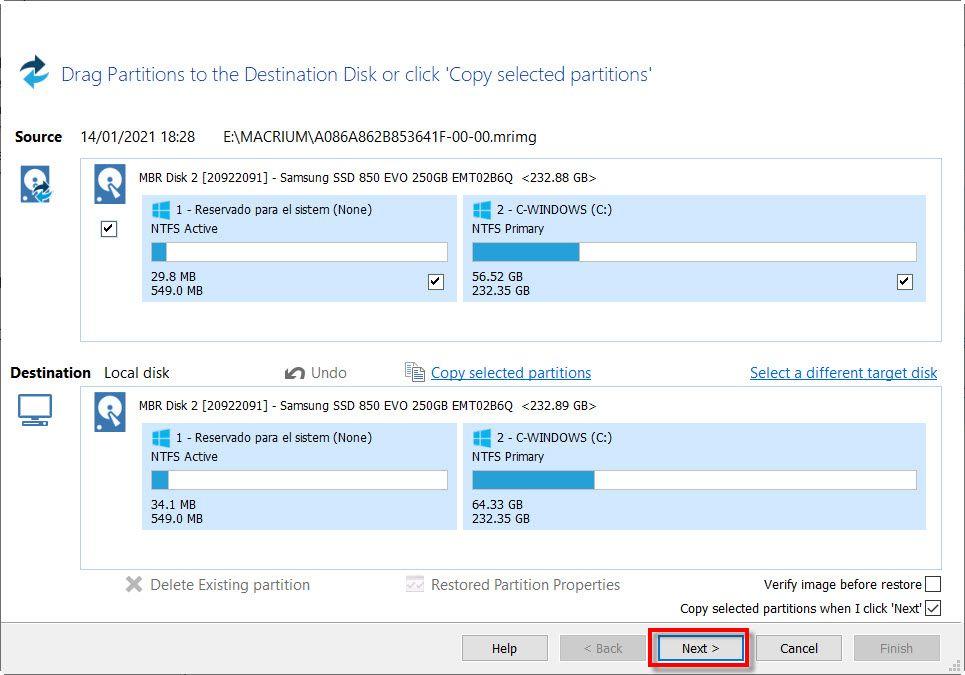
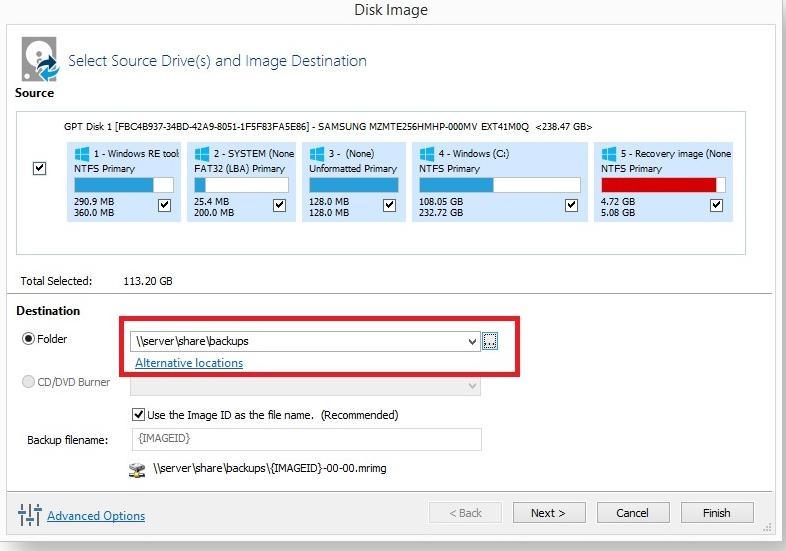
Macrium Reflect is software which is used for backing up and recovering Windows systems. The key feature of this software is disk imaging; instead of simply copying files, it makes an image of a drive or of the entire Windows system so that the computer can be restored to an earlier state if required.
This is helpful if something serious happens, such as a failed Windows update, hard drive failure, or malware attack. With a system image, you can restore the computer instead of reinstalling Windows and all your applications one by one.
The most recent version is Reflect X, this having taken the place of Reflect 8. Macrium states that Reflect X is quicker than Reflect 8 and also includes features such as resumable imaging, improved filtering, open-source backup formats, and support for the new ARM-based Windows devices.
Is Macrium Reflect still free?
This may cause some users to be confused.
The free version of Macrium Reflect Free v8 is no longer being actively supported. Macrium has stated that Reflect Free v8.0 was the last free edition to receive feature updates, compatibility updates and bug fixes. Updates relating to security were stopped on 1 January 2024 and the free version is no longer downloadable.
The articles stating that you are still able to download the current version of ‘Macrium Reflect Free’ are now out of date.
The current version of Macrium is Reflect X Home, and the company offers a 30-day free trial of it. According to the company, a credit card is not needed in order to begin the trial, and any backups made during the trial can still be used for restoration.
If you’re looking for backup software that remains free indefinitely, it should be pointed out that Macrium Reflect X is not the same as the earlier Reflect Free edition; currently, Macrium is a paid backup program with a trial period and not one that is free forever.
What Makes Macrium Reflect So Popular?
A main advantage of Macrium Reflect is its method of full system imaging.
A normal file backup will save your photos, documents, and all other personal files. This is useful, but in the event that Windows is damaged you would still have to reinstall the operating system, the applications, the drivers, and the settings.
Unlike a disk image, this one captures both the operating system and the drive’s structure, providing a more comprehensive recovery option.
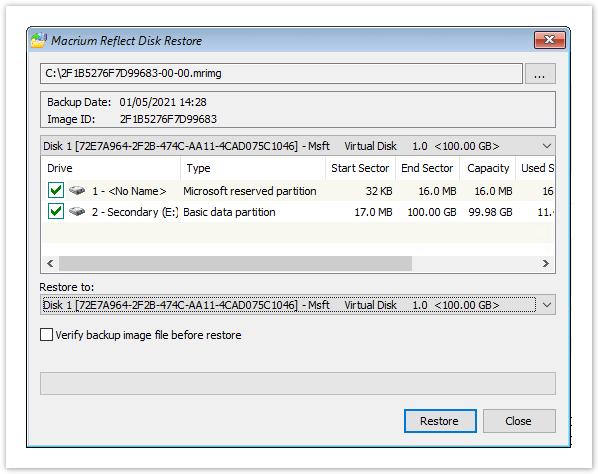
Macrium also enables you to recover individual files and folders from image backups, so you have no need to restore the entire computer when all you want is one file; the documentation details the procedure for restoring both complete disk images and individual files or folders.
Key Features of Macrium Reflect X
1. System Imaging
The key function is the creation of images of Windows systems and disks, which is useful as a precaution before carrying out major upgrades, making hardware changes, or taking other risky actions.
2. Scheduled Backups
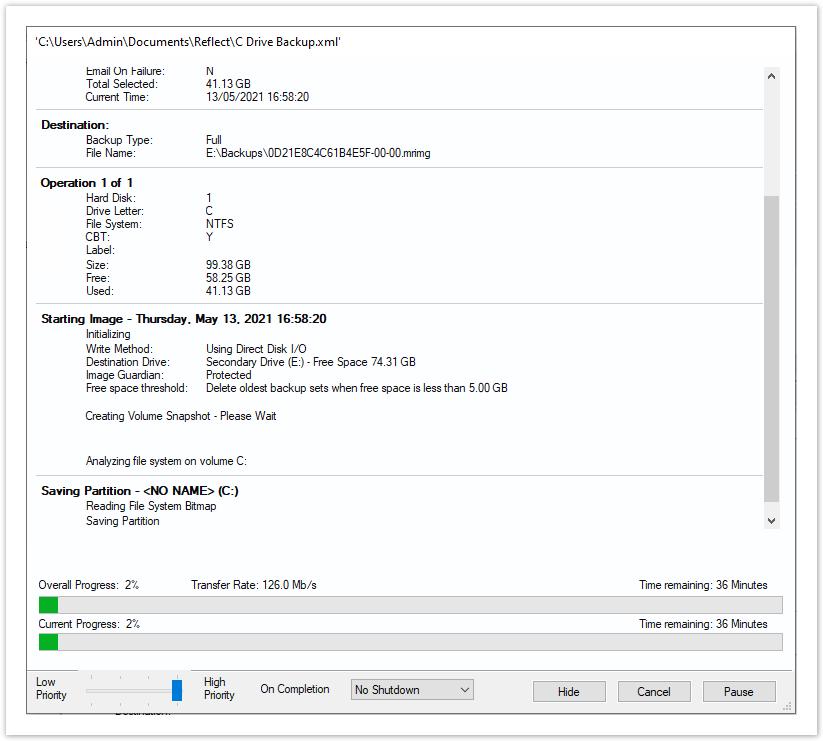
Macrium is able to carry out automatic backups, which helps prevent the usual error of only backing up after a problem has occurred; it can automatically schedule backups, thus helping to avoid the mistake of waiting until a problem has already arisen. One of the key features of Macrium Reflect X Home is automatic backup scheduling, and the software is capable of continuing rather than always requiring you to start from scratch. This is particularly useful when carrying out large backups or when using laptops that might have interruptions.
4. Fast Recovery
Macrium also includes Rapid Delta Restore, which makes restoring backup images faster. Speed is one of the main improvements in Reflect X.
5. Rescue Media
A backup is of any use only when it can be restored during a situation in which Windows will not start.
Macrium provides rescue-media functionality that can allMacrium offers rescue media, which lets a computer boot into a recovery environment and restore a system image even if Windows does not load. An important consideration is protecting the backup itself.
Just having a backup isn’t sufficient if ransomware is able to encrypt or delete the backup; Macrium’s Image Guardian technology is intended to guard against ransomware attacks and accidental deletion of backup files, and Macrium specifically includes Image Guardian as one of the security features of Reflect X Home.
This shows that protecting backups is an important part of any recovery plan.
The Biggest Disadvantage: It Isn’t a Free Forever Product
For those who are specifically looking for free backup software, the greatest disadvantage is that the licence to produce new backups has been discontinued. The main drawback is clearly that the old free Macrium edition is no longer available. Macrium currently charges for Reflect X Home on an annual basis.
This means Macrium is a good choice for people who want professional backup and recovery features. But it is not the best option if you need something that is free forever.
Is Macrium Reflect the best backup software?
Macrium Reflect remains a good choice when it comes to Windows system imaging and disaster recovery; it provides system imaging, scheduled backups, recovery media, the ability to restore files, fast recovery facilities, and protection against ransomware. This feature set is helpful for individuals who need more than just a simple file backup.
Yet, if your top requirement is a free backup program that is always free, you ought to look at Macrium Reflect X together with other free backup options before deciding.
The key thing to remember is that you should not download an old “Macrium Reflect Free” installer from an unofficial website just because an older article suggests it; Macrium has stated that the previous free version is no longer supported and is no longer available for download.
